Finding a useful half-term activity can be difficult when you need to balance your child’s interests with the practicalities of the school break. These October Half Term Coding Camps in Coventry offer two age-specific programmes, with activities ranging from LEGO engineering to Roblox and Minecraft game creation. Here’s what the listing says, and what to check before booking.
In short: Impact Academies lists two October programmes at 2 Hearsall Lane, Coventry: Lego Laboratory for ages 5–8 and Roblox Studio & Minecraft for ages 9–14. The activities include building, coding, robotics and games, with the listed camp schedule running from 9am to 3pm.
What are the October Half Term Coding Camps in Coventry?
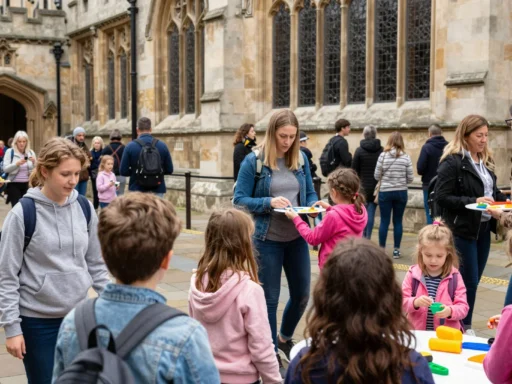
The listing describes a holiday camp where children can explore technology by making things, rather than only learning about coding in the abstract. Its programmes combine digital activities with construction, design challenges and group activities.
There are two main options. Younger children can build LEGO creations and program them to move or respond using specialised apps. Older children can work in Roblox Studio and Minecraft, learning coding basics as they design interactive game worlds and systems.
The page also describes robotics activities, quests, board games, and indoor and outdoor games. That offers parents a clearer picture of the advertised mix: technology projects alongside activities for socialising and taking breaks.
The programme is listed for children aged 5–14, but the two workshops have separate age ranges. Check those before deciding which one fits your child.
Which programmes are available, and what ages are they for?
The camp page lists two programmes with different dates, durations and age groups.
Lego Laboratory: ages 5–8
Lego Laboratory is listed for 26–28 October as a three-day programme for children aged 5–8. Children build and design LEGO creations, explore engineering principles and mechanisms, and use specialised apps to program their creations to move or respond.
This option brings physical construction and introductory programming together. A child makes something, then uses an app to influence how it behaves. The page also highlights creativity, problem-solving and teamwork as skills developed through the activities.
Roblox Studio & Minecraft: ages 9–14
Roblox Studio & Minecraft is listed for 26–30 October as a five-day programme for children aged 9–14. The activities include building games in Roblox Studio, exploring coding in Minecraft, and designing interactive worlds, mechanics and in-game systems.
The page identifies Lua with Roblox and ComputerCraft with Minecraft as part of the coding introduction. Its stated project outcome is children’s own playable games.
The age bands are the clearest starting point for choosing between the programmes. If your child’s age or interests make the choice uncertain, ask the organiser which activities are included and how the group is organised.
What will children do during the camp?
The activities depend on the programme, but the page describes a practical, project-based approach. Children are invited to build, design and program, with completed work intended to give them something to show at the end.
In Lego Laboratory, the project begins with a physical creation. Children explore how mechanisms work, then use an app to make the LEGO model move or respond. That gives them a visible way to test what happens when they change instructions or a design.
In Roblox Studio & Minecraft, children create game elements and interactive environments. They can work on mechanics and in-game systems, with the stated outcome being a playable game of their own.
The page also mentions robotics using Dash, Mini and Indi Sphero robots. It does not specify which robot activities are included in each programme, so ask the organiser if robotics is a deciding factor for your child.
According to the listing, children complete a project by the end of the session. Treat that as the organiser’s stated aim, and confirm what “completed project” means for the specific programme and session your child would attend.
How do LEGO activities introduce engineering and coding?
LEGO can make some technology ideas easier to explore because children can see and handle the object they are building. At this camp, the advertised activities connect construction with mechanisms and basic programming.
Children first build and design LEGO creations. They then use specialised apps to program their creations to move or respond. In simple terms, the physical model is what they make, while the instructions in the app help control how it behaves.
This approach can give a child a practical reason to test and adjust their work. If the model does not respond as expected, they can revisit the design or programming instructions. The page lists problem-solving, creativity and teamwork among the skills the activities aim to develop.
Lego Laboratory is specifically described for children aged 5–8. If your child enjoys building but has not tried coding before, ask the organiser how the activities are guided and what children are expected to do independently.
For more ideas beyond technology sessions, add a link here: [link to your page about family activities in Coventry].
How do Roblox and Minecraft feature in the coding programme?
The older children’s programme uses familiar game environments as settings for creating, rather than only playing. Its listing connects Roblox Studio with Lua and Minecraft with ComputerCraft.
The activity description says children build games in Roblox Studio, explore coding in Minecraft, and design interactive worlds, mechanics and in-game systems. These projects bring together programming and design decisions: children have to think about what a game element should do and how a player might interact with it.
The stated aim is for participants to create playable games. The page does not give a lesson plan, name specific coding concepts beyond the tools and languages listed, or describe what level of experience children need. If your child already uses either platform, ask how the activities differ from simply playing it.
Does the camp include robotics and activities away from computers?
Yes. The page mentions robotics with Dash, Mini and Indi Sphero robots. It also lists quests and board games during breaks, as well as indoor and outdoor games.
That mix may matter if you are looking for a day that includes more than screen-based work. The source does not give a timetable or say how much time is allocated to each activity, so parents should ask what a typical day looks like.
Social activities are part of the camp’s description too. The page highlights making friends, teamwork and a safe, encouraging environment. These are advertised features, not a detailed account of group sizes or supervision arrangements.
The listing describes children as safe and supervised, but does not provide staff qualifications or a child-to-instructor ratio. If you need those details to make a decision, confirm them directly before booking.
What skills does the camp aim to develop?
The page names creativity, problem-solving and teamwork alongside coding concepts. It also describes activities involving engineering, mechanisms, robotics, game design and digital creation.
Those activities can give children different ways to engage. Building a LEGO model involves designing and testing a physical object. Creating a game involves making choices about a digital world and how its mechanics work. Robotics activities connect instructions with a device’s movement or response.
The source presents these as learning opportunities, not guaranteed outcomes for every child. A good question to ask the organiser is what children will actually make and which skills each programme is designed to practise.
The camp also emphasises project completion. The page says children will have a completed project by the end of the session, though it does not list project examples for every activity or explain whether children take work home.
Where and when are the camps held?
The listed location is 2 Hearsall Lane, Coventry CV5 6QR. The overall camp schedule is shown as 26–30 October, 9am–3pm.
The individual programme dates differ: Lego Laboratory is listed for 26–28 October, while Roblox Studio & Minecraft runs 26–30 October. The listing does not state the year for these dates, so confirm that they apply to the October half term you are planning for.
The page gives the venue address but does not describe parking, public transport, drop-off, or collection procedures. Check those arrangements with the organiser before the first day.
For other local school-break ideas, add a link here: [link to your page about Coventry school holiday activities].
What should parents check before booking?
The listing covers programme content, age ranges, dates, hours and location. It does not provide several practical details families may need before making a decision.
Ask the organiser to confirm:
- The price and what it includes
- Whether places are currently available
- The year and dates for the session you are considering
- Lunch, snacks, allergies and food rules
- Drop-off and collection procedures
- Whether early drop-off or later collection is available
- Staff qualifications and child-to-instructor ratios
- Accessibility support
- Booking, payment, cancellation and refund terms
These questions do not imply that a particular option is or is not available. They identify details that the source page does not state, so you can make your decision using current information from the organiser.
How do you choose the right programme for your child?
Start with the published age groups: Lego Laboratory is for ages 5–8, and Roblox Studio & Minecraft is for ages 9–14. Then consider what your child would most enjoy doing during the day.
A child who likes building may be drawn to LEGO construction and app-based programming. A child interested in games may prefer designing worlds and mechanics in Roblox Studio or Minecraft. If robotics is the main attraction, ask which activities involving the named robots are part of the chosen programme.
It can also help to ask your child what they would like to make. “Build something that moves” and “create a playable game” are different starting points, and the camp page presents them as separate programme options.
Finally, compare the practical details with your family’s needs. The listed hours and venue are useful, but food arrangements, accessibility, current availability and collection options are not covered on the page.
For more family-friendly ideas around the city, add a link here: [link to your page about things to do in Coventry with kids].
Frequently asked questions
Are the camps suitable for children who are new to coding?
The listing describes introductory programming and coding basics, including Lua for Roblox and ComputerCraft for Minecraft. It does not specify prior experience requirements or explain how support differs by skill level. If your child is new to coding, ask the organiser what experience is expected for their age group.
What ages can attend the Coventry camps?
The overall camp is listed for children aged 5–14. Lego Laboratory is for ages 5–8, while Roblox Studio & Minecraft is for ages 9–14. The page does not describe exceptions to those age ranges, so check with the organiser if your child is close to an age boundary.
What can children make?
The page describes LEGO creations programmed to move or respond, as well as games and interactive worlds made through Roblox Studio and Minecraft activities. It also says children will have a completed project by the end of the session. Ask the organiser what projects are planned for your child’s chosen programme.
What are the dates and hours?
The page lists the overall schedule as 26–30 October, 9am–3pm. Lego Laboratory runs 26–28 October, while Roblox Studio & Minecraft runs 26–30 October. The year is not stated, so confirm the dates for the specific October half term you are considering.
Where is the camp held?
The address on the listing is 2 Hearsall Lane, Coventry CV5 6QR. The page does not explain drop-off or collection procedures, transport advice or parking arrangements. Contact the organiser to confirm the logistics that matter to your family before the first day.
What should I ask before booking?
The page does not list prices, food arrangements, staff qualifications, group ratios, accessibility provisions or early drop-off and late collection options. Ask the organiser to confirm these details, along with availability, booking terms and the exact dates for the year you have in mind.
What should you do next?
Choose the programme that best matches your child’s age and interests, then contact the organiser to confirm the year, availability, price and practical arrangements. The page lists two options: LEGO building and basic programming for ages 5–8, and Roblox Studio and Minecraft game creation for ages 9–14.